Adobe Podcast vs Auphonic for Audio Cleanup
Comparing Adobe Podcast and Auphonic. Which AI tool is better for cleaning up noisy recordings and enhancing vocal clarity?
Adobe Podcast vs Auphonic for Audio Cleanup
Comparing Adobe Podcast and Auphonic. Which AI tool is better for cleaning up noisy recordings and enhancing vocal clarity?
If you have ever recorded a podcast in a noisy room or captured an interview with a cheap microphone, you know the pain of post-production. Background hums, echo, and inconsistent volume levels can ruin even the best content. Luckily, AI has stepped in to save our audio. Today, we are diving deep into two heavy hitters in the audio enhancement space: Adobe Podcast and Auphonic. Both promise studio-quality sound from mediocre recordings, but they go about it in very different ways.
Understanding Adobe Podcast AI Audio Enhancement
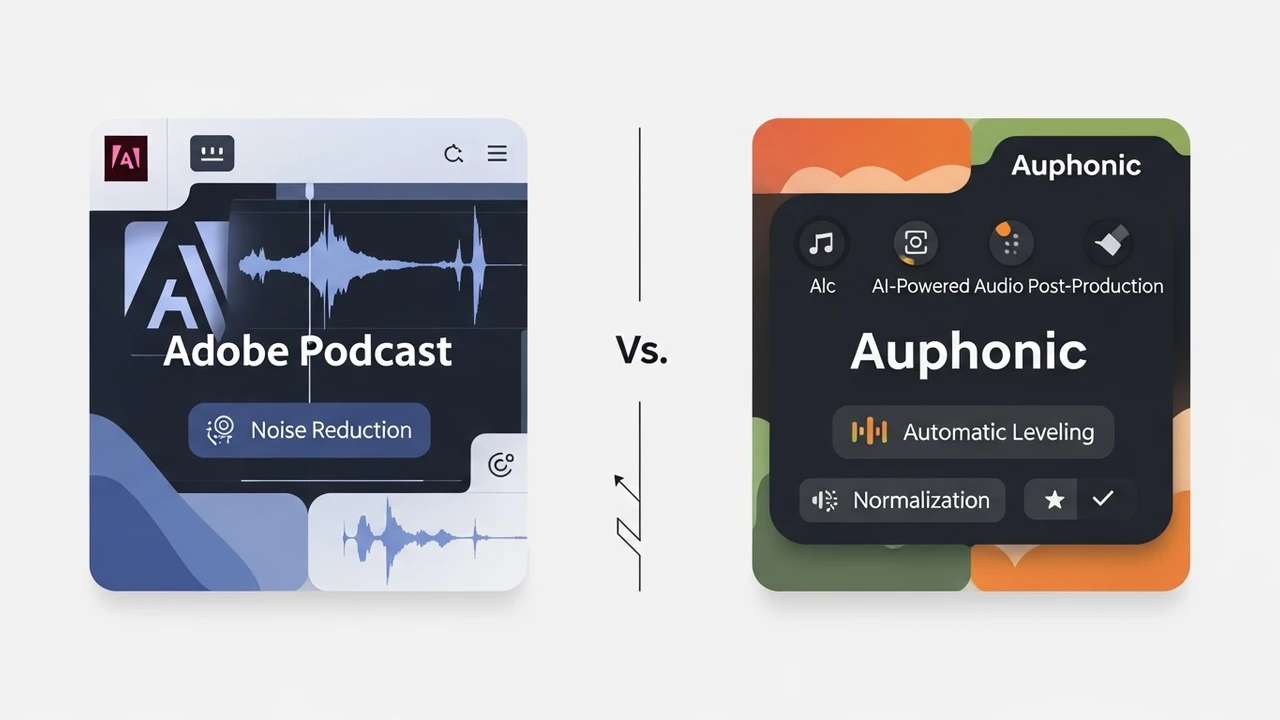
Adobe Podcast is the shiny new toy in the creative suite. It is built on the same technology that powers Adobe's professional-grade audio software, but it is packaged in a web-based, user-friendly interface. The star of the show here is the 'Enhance Speech' feature. It is essentially a one-click magic button. You upload your noisy, muffled audio file, and the AI reconstructs the voice, stripping away the room noise and making it sound like you were sitting in a professional recording booth.
The beauty of Adobe Podcast lies in its simplicity. You do not need to be an audio engineer to get great results. It is perfect for YouTubers, podcasters, and social media creators who need to turn around content quickly. However, it is a bit of a 'black box.' You upload the file, and you get the result. You don't get a lot of knobs to turn or sliders to adjust, which can be a limitation if you are a perfectionist.
Deep Dive into Auphonic Audio Post Production
Auphonic is the veteran in this space. It has been around for years and is widely considered the gold standard for automated audio post-production. Unlike Adobe's singular focus on speech enhancement, Auphonic is a full-featured audio processing suite. It handles leveling, noise reduction, filtering, and even loudness normalization to meet industry standards like EBU R128 or ATSC A/85.
Auphonic is designed for the serious podcaster. It allows you to set up 'presets' that you can apply to every episode. If you have a specific sound you like, you can dial it in once and let the AI handle the rest for every future recording. It also integrates directly with platforms like Libsyn, YouTube, and Dropbox, making it a powerhouse for automated workflows.
Comparing Adobe Podcast and Auphonic Features
When you put these two side-by-side, the differences become clear. Adobe Podcast is all about the 'wow' factor of speech reconstruction. It is incredibly aggressive at removing background noise, sometimes to the point where it can make a voice sound a bit robotic or 'underwater' if the original recording is too poor. It is a surgical tool for fixing bad audio.
Auphonic, on the other hand, is a Swiss Army knife. It is less about 'reconstructing' the voice and more about 'polishing' it. It excels at balancing the volume between multiple speakers, which is a common headache in podcasting. If you have one guest who is loud and another who is whispering, Auphonic will level them out perfectly. It is also much more transparent, meaning it preserves the natural character of the voice better than Adobe's more aggressive AI.
Use Cases for AI Audio Cleanup Tools
So, which one should you choose? If you are a solo creator recording in a bedroom with a lot of echo, Adobe Podcast is likely your best friend. Its ability to remove reverb is genuinely impressive. It can take a recording that sounds like it was made in a bathroom and make it sound like it was recorded in a treated studio.
If you are running a multi-person podcast or a professional production house, Auphonic is the clear winner. The ability to handle multi-track files, normalize loudness for different platforms, and automate the entire upload-to-publish pipeline is a massive time-saver. It is built for scale and consistency, whereas Adobe Podcast is built for quick, high-impact fixes.
Pricing and Accessibility
Adobe Podcast currently offers a generous free tier, which is great for testing the waters. However, as part of the Adobe ecosystem, it is likely to become a paid feature within Creative Cloud as it matures. It is accessible via any web browser, which makes it great for mobile creators.
Auphonic operates on a credit-based system. You get two hours of free processing per month, and after that, you pay for more. It is a very fair model for independent creators. If you only produce one episode a week, you might never need to pay a dime. For power users, the paid plans are quite affordable given the amount of time they save in the editing room.
Final Thoughts on Choosing Your Audio Tool
At the end of the day, both tools are incredible leaps forward from the days of manually scrubbing audio in a DAW. If you are just starting out and need to fix a few bad clips, start with Adobe Podcast. It is free, fast, and surprisingly effective. If you are ready to take your production to the next level and want a tool that grows with your show, give Auphonic a try. You will find that the time you save on editing is worth every penny, and your listeners will definitely notice the difference in quality.
:max_bytes(150000):strip_icc()/277019-baked-pork-chops-with-cream-of-mushroom-soup-DDMFS-beauty-4x3-BG-7505-5762b731cf30447d9cbbbbbf387beafa.jpg)